Bulk Entry
(requires Premium)What Is Bulk Entry?
Bulk Entry lets you log multiple energy entries in a single session. Instead of creating one entry at a time, you select a date and time period, then add as many categories as you need, each with its own energy level and direction.
Note: Bulk Entry is a premium feature.
Step by step
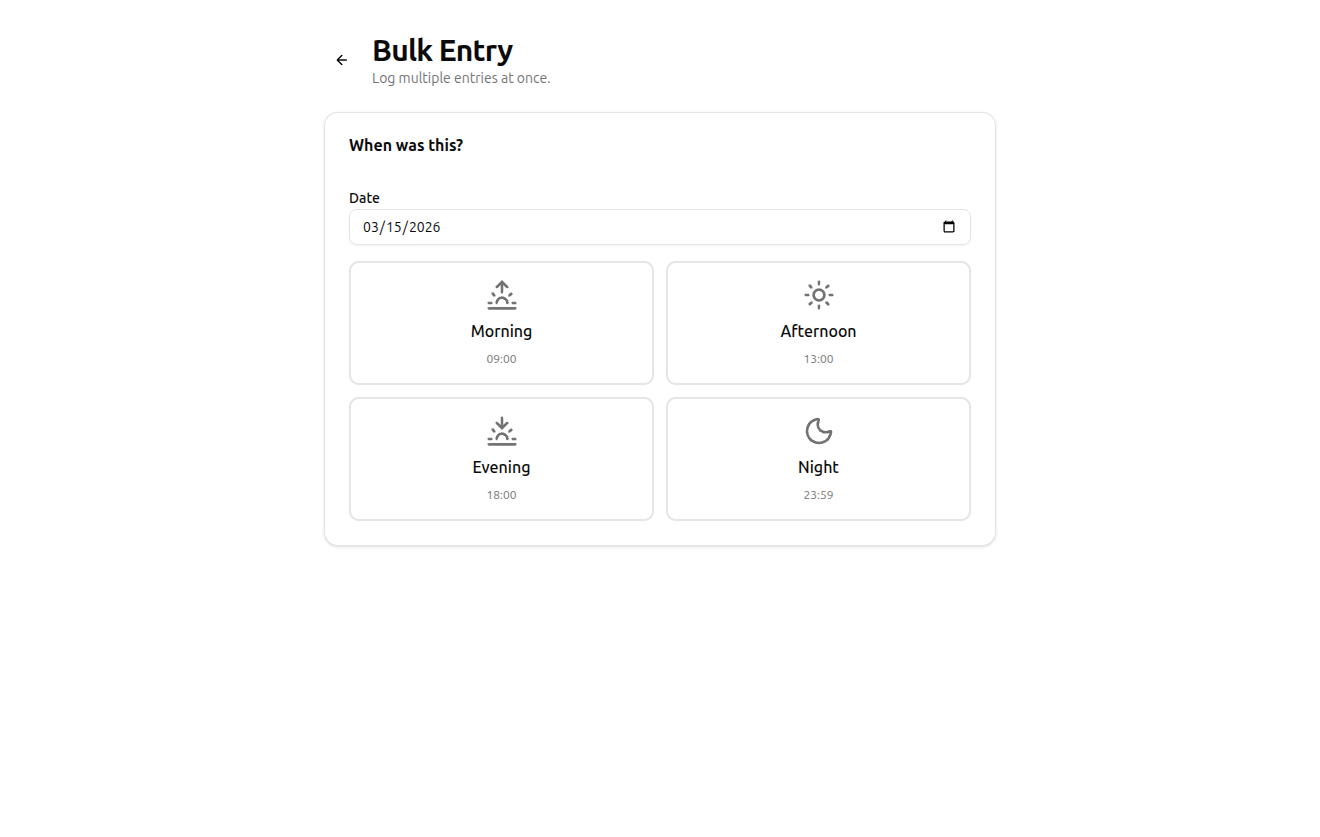
- Choose a date. The current date is pre-filled. You can backdate to any previous day.
- Pick a time period. Select Morning (09:00), Afternoon (13:00), Evening (18:00), or Night (23:59). All entries in this batch will share the same timestamp.
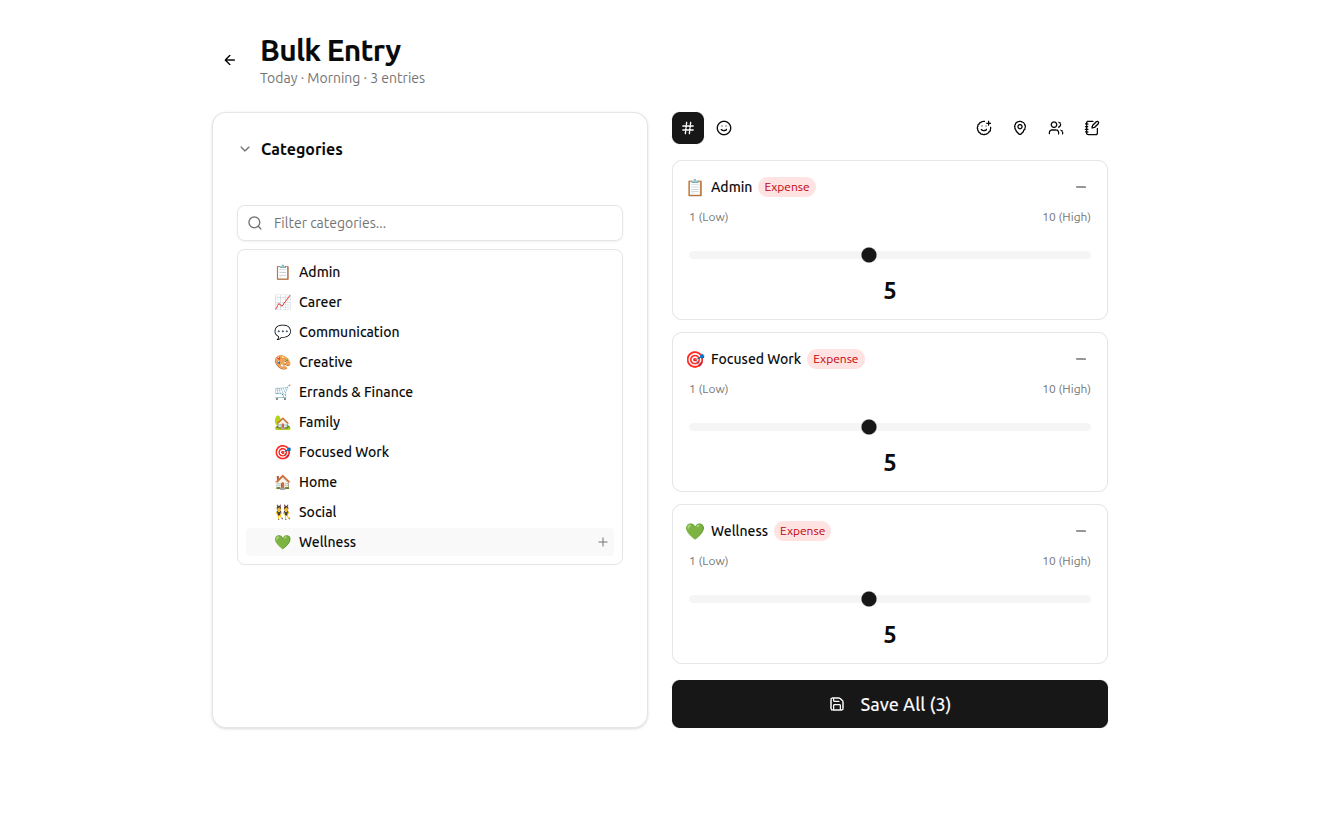
- Add categories. Click any category from the list on the left to add it as an entry. Each category gets its own energy slider and direction toggle.
- Set energy levels. Adjust the slider for each entry. Toggle between numeric (1–10) and emoji input modes using the buttons at the top.
- Toggle direction. Click the direction badge on any entry to switch between Expense and Gain.
- Add optional context. Use the toggle buttons at the top right to enable mood, location, people, or notes for all entries in the batch.
- Save all. Click Save All to create every entry at once. You'll be redirected to the dashboard.
When to use bulk entry
- Catching up. Forgot to track yesterday? Open bulk entry, backdate it, and log everything in one pass.
- Morning routines. If your morning involves several distinct activities (exercise, commute, meetings), bulk entry lets you log them all as a batch.
- End-of-day review. Some users prefer to log everything at the end of the day rather than in the moment. Bulk entry makes this efficient.
Limits
You can add up to 50 entries per batch. There's no limit to how many batches you create per day.
Tips
- You can add the same category multiple times if you did the same type of activity at different energy levels.
- Use the category filter to quickly find what you need.
- Collapse the category panel once you've added everything to focus on adjusting energy levels.
Related
- Logging an Entry – the single-entry tracking form
- Categories – create and organize categories
- Plans & Pricing – bulk entry requires premium